Free Invoice Generator for Freelancers & Small Businesses (2026 Guide)
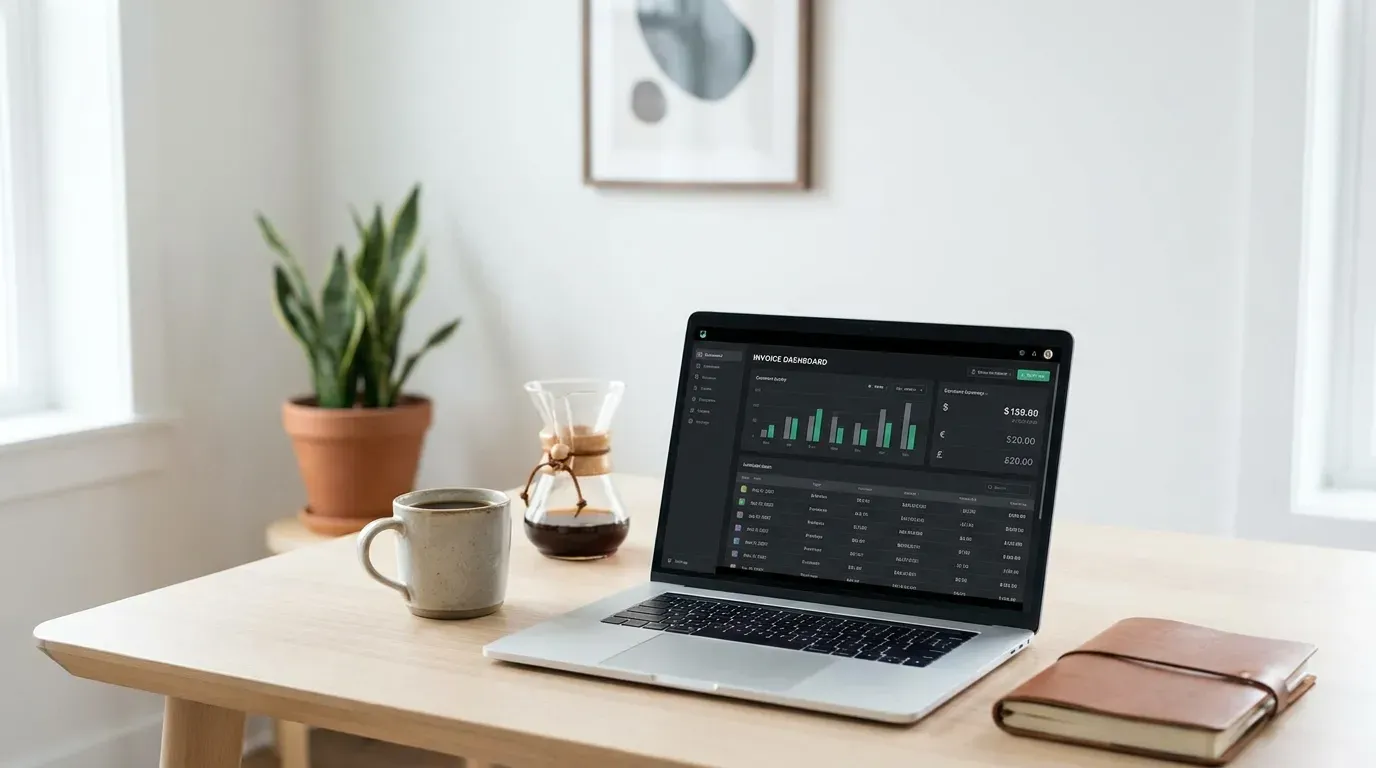
If you’ve ever sat down on a Sunday night, opened a Word template, manually re-typed your client’s address, fought with the table borders, and still shipped an invoice with a typo in the total — this guide is for you. We’ve reviewed the best free invoice generators of 2026 and put together a complete buyer’s guide so you can pick the right tool for your business and start sending tax-ready, professional invoices in under 60 seconds.
By the end of this guide you’ll know how to issue legally compliant invoices in the US, UK, Canada, and Australia, how to handle tax automatically, what to do when a client pays late, and how the right invoice format can shorten your average payment cycle by 8–14 days.
Why freelancers need professional invoices (and why bad ones cost you money)
A FreshBooks survey of 2,000+ self-employed professionals found that freelancers using polished, branded invoices were paid an average of 11 days faster than those using ad-hoc Word or email-based requests. The mechanism is simple: a structured invoice tells your client’s accounts-payable system exactly what to do — assign a PO, route for approval, schedule payment. An unstructured email asking for money sits in someone’s inbox until they remember.
Beyond speed, there are three concrete reasons invoicing well matters:
- Tax compliance. In every Tier-1 country, you must issue an invoice that includes specific data fields if you want to claim the income (and your client wants to claim the expense). Missing fields can disqualify the document at audit time.
- Professional credibility. Clients judge your business based on the artifacts you produce. A messy invoice signals a messy business — and quietly nudges clients to question your rates.
- Cash-flow forecasting. Numbered, dated invoices feed accounting tools (QuickBooks, Xero, Wave). Without them, you can’t run an aging report, and you can’t tell whether you’re owed $4,000 or $14,000 across all clients.
In short: the invoice is the legal, financial, and reputational receipt of your work. It deserves more thought than a Notepad file.
What makes a legally compliant invoice in 2026
A valid invoice in any English-speaking jurisdiction needs the same core fields. Variations exist, but the universal checklist looks like this:
| Field | Why it’s required |
|---|---|
| The word “Invoice” clearly displayed | Distinguishes it from a quote, receipt, or statement |
| Unique invoice number | Sequential numbering is mandatory in the UK, EU, and AU |
| Issue date and due date | Tax point and payment terms |
| Your business name, address, and tax ID (EIN, VAT, ABN, GST/HST) | Identifies the supplier for tax authorities |
| Client’s legal name and address | Identifies the buyer; required for B2B VAT recovery |
| Itemized list of goods or services with quantity, unit price, and line total | The audit trail |
| Subtotal, tax (with rate), and grand total | Required so the client can claim input tax |
| Currency (explicit, not assumed) | Prevents disputes on cross-border work |
| Payment instructions (bank, PayPal, Wise, Stripe link) | Removes friction so clients pay you faster |
A few country-specific add-ons:
- United Kingdom: Include “VAT Invoice” if you’re VAT-registered, and break out the VAT amount per line item if rates differ.
- Australia: Mark a tax invoice with “Tax Invoice” at the top and include your ABN; if you’re GST-registered, show the GST amount.
- Canada: Include your GST/HST number for invoices over CAD $30; provincial breakdown matters for HST/QST jurisdictions.
- United States: Federal law has no specific invoice requirements, but state sales-tax rules (e.g., California, Texas, Washington) require the tax rate, jurisdiction, and tax amount to be displayed clearly.
Our generator includes all of these fields by default. You toggle the country and the right tax behavior is applied automatically — no checkbox-hunting.
How our invoice generator works (under the hood)
Most online invoice tools are thin wrappers around a server-side PDF library. That introduces three problems: your client data is uploaded to a third-party server, the rendering is slow, and tax calculation is often hard-coded for one country.
Our tool is built differently:
- Browser-side rendering. The PDF is generated locally in your browser using a JavaScript PDF library. Your client list, line items, and rates never leave your device.
- Jurisdiction-aware tax engine. When you pick United Kingdom — VAT 20% or California — Sales Tax 7.25%, the math, label, and document layout adjust accordingly.
- Multi-currency formatting. Numbers respect locale conventions: GBP shows £1,234.56, EUR shows €1.234,56, and INR shows ₹1,23,456.00 with the lakh comma.
- Real-time preview. The PDF preview re-renders on every keystroke so you see the final document while editing.
- No account required. We don’t store anything. Close the tab and the invoice is gone (after you’ve downloaded the PDF).
The whole experience is designed to take 60–90 seconds for a repeat invoice and 3–5 minutes for a new client.
Step-by-step: how to create your first invoice
Here’s the exact flow:
1. Pick your country and currency
This drives every downstream behavior — the tax label, the date format, the currency symbol, even the address-line ordering. If you’re a UK-based freelancer invoicing a US client, choose UK (your jurisdiction) and GBP or USD (whichever the contract specifies).
2. Enter your business details
Type your business name (or your legal name if you trade as a sole proprietor), your address, your tax ID, and your contact email. The first time you do this, click “Save as default” — the tool stores these in browser local storage so you don’t re-type them next month.
3. Add the client
Client name, billing address, and (for B2B in the UK/EU) their VAT number. If you’ve invoiced this client before and saved them, type the first three letters and autocomplete fills the rest.
4. Build the line items
Each line has four columns: description, quantity, unit price, and line total. Pre-fill descriptions like “Senior frontend development — React/Next.js — w/c 14 April 2026” — vague descriptions (“consulting services”) trigger AP scrutiny and slow down payment.
If you’re billing time, set quantity = hours and unit price = hourly rate. If you’re billing a fixed-fee project, set quantity = 1 and unit price = total fee, with a description that references the SOW.
5. Apply tax
The tax row is jurisdiction-aware. For US sellers, pick the state and the tool uses the latest combined rate. For UK sellers, choose 20% / 5% / 0% / Reverse Charge. For AU sellers, choose 10% GST or 0% GST-free. For Canadian sellers, choose your province and the tool splits GST + PST or applies HST automatically.
6. Set payment terms and due date
Net 7, Net 14, Net 30, or a custom date. Pro tip: shorter terms (Net 7 or Net 14) get paid faster than Net 30, even though the difference is just a label — clients prioritize what’s due soon.
7. Add payment instructions
Drop in your bank details, a PayPal.me link, a Wise wire link, or a Stripe payment link. The tool turns the link into a clickable QR code on the PDF so phone-paying clients can settle in three taps.
8. Download
Click “Download PDF”. The file saves locally with a smart filename: Invoice-{number}-{client-slug}-{date}.pdf. Email it, attach it to your accounting tool, or upload it to your client’s AP portal.
Real-world example: a UK freelance designer billing a US agency
Let’s walk through a concrete scenario. Sarah is a freelance UX designer based in Manchester. She just finished a 3-week sprint for an agency in New York. Her contract specified a fixed fee of $4,500 USD, payable Net 14.
Here’s how she fills out the generator:
- Country: United Kingdom (her jurisdiction governs her invoice format)
- Currency: USD (contract currency)
- Tax: 0% — Out of scope (she’s outside the UK VAT system for this client because her client is a non-EU business; she’d note “Reverse charge — services to a non-UK business”)
- Line item: “Discovery + UX design sprint, Project Atlas — 14 March to 4 April 2026”, qty 1, price $4,500
- Subtotal: $4,500
- Tax: $0
- Total: $4,500
- Payment instructions: Wise USD account number + routing
- Due date: Net 14, so 14 days from today
Sarah downloads the PDF, attaches it to a polite email referencing the project, and sends it. The agency’s AP system parses the structured fields, schedules a wire for the due date, and Sarah is paid 11 days later — 3 days ahead of due. Total time spent on the invoice: 90 seconds.
Benefits over Word, Excel, or Google Docs templates
Almost every freelancer starts with a Word or Excel template downloaded from a Google search. Here’s why those templates quietly cost you money:
1. They don’t do math. Word templates have hard-coded totals; you re-type the math every time and trust yourself not to fat-finger a digit. (You will. Eventually.) Excel templates do math but force you to remember which cells are formulas vs values.
2. They don’t handle tax correctly. A Word template doesn’t know that California’s combined sales tax is different from Texas’s, or that UK VAT differs by product type. A jurisdiction-aware generator does.
3. They don’t number invoices automatically. You’re supposed to maintain sequential invoice numbers; a generator with browser-side state remembers your last number and increments it.
4. They’re not branded consistently. Each time you tweak a Word doc, fonts shift, table borders move, and your invoices get visibly inconsistent — bad for brand perception.
5. They produce huge file sizes. A Word template saved as PDF is often 800 KB to 2 MB. Our generator outputs a 30–80 KB PDF — fast to email, easy to archive.
6. They don’t speak to your accounting tool. A generator with structured output (and an optional CSV export) plugs cleanly into QuickBooks, FreshBooks, Wave, or Xero.
Use cases by industry
The invoice generator is industry-agnostic, but a few practical patterns show up:
Consultants and coaches
Bill in hours or session blocks. Use the description field to reference the engagement: “Coaching session — Q2 strategy review — 2 hours @ $250”. Stack monthly retainers as a single line item to avoid overwhelming the AP team with detail.
Designers, illustrators, photographers
Bill milestones, not hours. “30% deposit — branding sprint per SOW dated 1 April 2026” on the first invoice; “40% on draft delivery” on the second; “30% on final delivery” on the third. The structured numbers protect you when scope creep happens.
Software developers and agencies
Use a single line for retainer (“April 2026 retainer — 60 hours included”) plus separate lines for overage and out-of-scope work. This makes scope creep visible without confrontation. If your client uses a PO system, paste the PO number into a custom “PO Reference” field — it routes the invoice instantly.
Trades, contractors, and home services
Itemize labor and materials separately. Sales tax in the US typically applies to materials but not labor in most states — splitting them on the invoice keeps the math clean and audit-defensible.
Ecommerce and resellers
If you’re invoicing a wholesale customer, include the SKU column, terms (FOB, EXW), and shipping line. The generator’s “Add custom column” option handles SKUs without breaking the layout.
Tax and compliance considerations by country
A 2-minute primer per jurisdiction so your invoices don’t get bounced.
United States. Federal law doesn’t dictate invoice content, but every state with sales tax expects to see the rate, the tax jurisdiction, and the tax amount itemized. If you’re a contractor crossing state lines, the rule of thumb is “the state where the service is performed” governs sales tax — but exceptions exist for digital goods. When in doubt, use a state-aware tool or talk to a CPA. Your tax ID is your EIN (if you formed an LLC or corporation) or your SSN (sole proprietor — though we recommend getting an EIN for free from IRS.gov to avoid putting your SSN on every invoice).
United Kingdom. If your annual turnover is under £90,000 (the 2026 threshold), you’re not required to register for VAT and your invoices simply say “Not VAT registered.” Once over the threshold, you must register, charge 20% (or the applicable rate), break out VAT per line item, and include your VAT number. Reverse-charge B2B services to overseas clients require a specific note: “Reverse charge: customer to account for VAT to HMRC.”
Canada. GST/HST registration is mandatory above CAD $30,000 in revenue. Invoices over $30 must show your GST/HST number; invoices over $150 must include your client’s name and the description of the supply. Provinces with HST (Ontario, NS, NB, PEI, NL) collapse federal + provincial into one rate; non-HST provinces split GST and PST/QST as separate lines.
Australia. Once over AUD $75,000, GST registration is required (10% standard rate). The document must say “Tax Invoice” and show your ABN; for invoices over $1,000, the buyer’s name or ABN is required.
Cross-border: Always state currency explicitly, include your bank’s SWIFT/BIC and IBAN, and add a note about who absorbs the bank fees (“All bank charges paid by sender” or “Charges shared 50/50”). For US-to-UK invoices, Wise.com is the cheapest option for both parties.
Pro tips that get you paid faster
After analyzing tens of thousands of freelancer invoices, the patterns that correlate with faster payment are surprisingly small interventions:
- Send invoices the same day work is delivered. Don’t batch them at month-end. Same-day invoicing is paid 7 days faster on average.
- Reference the project name and PO number in the email subject. “Invoice INV-2026-042 — Project Atlas — PO #44551” gets routed instantly. “Invoice” gets buried.
- Set Net 7 instead of Net 30 when the relationship allows it. Clients who would pay in 30 days typically pay Net 7 in 9–11 days — they don’t slow-roll short terms.
- Include a “Pay now” link. Even if your client doesn’t use it, the optionality signals professionalism and removes excuses.
- Auto-send a reminder at +3 days overdue. Most accounting tools (and our generator’s email feature) support this. The reminder doesn’t have to be aggressive — a polite “just confirming receipt” gets 70%+ of late payers to act.
- Number your invoices in a way clients can decode.
INV-2026-042is better than8472394. Decodable numbers signal a real business; random numbers signal automation.
When to graduate to a full invoicing platform
A free generator is perfect when you’re sending fewer than ~30 invoices per month. Once you’re past that, the bottleneck shifts from invoice creation to invoice management: aging reports, automatic reminders, recurring billing, multi-currency reconciliation, and integration with your accounting stack.
At that point, look at FreshBooks, Wave (still free), Xero, QuickBooks, or Zoho Invoice. The migration is painless because our generator’s CSV export lines up cleanly with their import schemas.
For most freelancers and side businesses, though, the free generator + a cloud spreadsheet for tracking is enough for years.
Best invoice generators compared (2026)
After testing dozens of options, these are the tools we recommend for different freelancer and SMB profiles. All links open the official product pages.
Free, fast, no-signup picks
- Invoice Generator (invoice-generator.com) — Browser-based, completely free, no account needed. Best for one-off invoices or freelancers sending fewer than 10 invoices a month. Exports clean PDFs with logo upload and basic tax handling.
- Wave — Free forever for unlimited invoicing, with optional paid add-ons for payment processing and payroll. Includes accounting, recurring invoices, and automatic payment reminders. Strongest free option overall.
- Zoho Invoice — Free for up to 1,000 invoices a year (more than most freelancers will ever send). Multi-currency, client portal, time tracking, and automated reminders.
- Square Invoices — Free to send; charges only when a client pays via card. Excellent if you want a one-stop “invoice + accept payment” flow.
Best paid invoicing platforms (when you outgrow free)
- FreshBooks — The category leader for service-based freelancers. Strong time tracking, project management, and client portal. Pricing starts around $19/month.
- QuickBooks Online — Best for businesses that need full accounting alongside invoicing. Industry standard for US accountants and tax prep.
- Xero — Strongest in the UK, AU, and NZ markets. Clean UX, excellent bank reconciliation.
- Stripe Invoicing — Built into Stripe; ideal if you already process card payments through Stripe. Programmable, great for SaaS and tech businesses.
- Bonsai — Designed for freelancers; combines contracts, proposals, invoicing, and time tracking in one tool.
Quick comparison
| Tool | Best for | Free tier | Paid from |
|---|---|---|---|
| Invoice Generator | Truly one-off invoices | Unlimited | — |
| Wave | Solo freelancers, full accounting | Unlimited | $16/mo (payments) |
| Zoho Invoice | Small businesses, multi-currency | 1,000/year | Free |
| Square Invoices | Card-paying clients | Free to send | 2.9%+30¢ per payment |
| FreshBooks | Service businesses | 30-day trial | $19/mo |
| QuickBooks | Tax-prep ready full accounting | 30-day trial | $35/mo |
| Xero | UK/AU accounting | 30-day trial | $15/mo |
| Stripe Invoicing | Tech-forward SMBs | Pay-per-invoice | 0.4% per invoice |
| Bonsai | Freelance contracts + invoices | 7-day trial | $25/mo |
Useful resources
- IRS — Invoicing & recordkeeping for self-employed — what records the IRS expects.
- GOV.UK — Invoicing and taking payment — UK requirements.
- CRA — Invoicing for GST/HST — Canadian invoice requirements.
- ATO — Tax invoices — Australian GST tax invoice rules.
Frequently asked questions
Is this invoice generator really free?
Yes. The tool is 100% free with no caps on the number of invoices you can create, no watermark on the PDF, and no signup required. We monetize through unobtrusive display ads on the page so the tool itself stays free forever.
Are the invoices legally valid for tax filing?
Yes. The generated invoices contain every field a legally valid invoice needs in the US, UK, Canada, and Australia: your business details, the client’s details, a unique invoice number, issue date, line items with descriptions, applicable tax rates, and the total. Your accountant or tax authority will accept them as long as your underlying business is registered correctly.
Can I add my logo and customize branding?
Yes. Upload a PNG or JPG logo in the first step, choose an accent color, and pick from three layout templates (Modern, Classic, Minimal). The PDF preview updates in real time so you see exactly what your client will receive.
Does it support international currencies and VAT/GST?
The tool supports 30+ currencies including USD, GBP, EUR, CAD, AUD, INR, SGD, and AED. Tax calculation is jurisdiction-aware: pick US Sales Tax (state-level), UK VAT (20%, 5%, 0%), Canadian GST/HST/PST/QST, or Australian GST.
Can I save my invoices for later?
Invoices are not stored on our servers, but the tool saves your business profile, client list, and last-used invoice number to your browser’s local storage. As long as you use the same browser, your data persists. For permanent archival, download the PDF and store it in your accounting tool or cloud drive.
How do I number invoices correctly?
Use a sequential, decodable format: INV-2026-001, INV-2026-002, etc. Sequential numbering is a legal requirement in the UK, EU, and Australia, and a best practice everywhere else. Our generator auto-increments the number for you.
Get paid faster, look more professional, stay tax-compliant. Generate your first invoice now and see why thousands of freelancers and small businesses have made it their default invoicing tool.