AI Meta Description Generator for SEO (Free Bulk Tool)
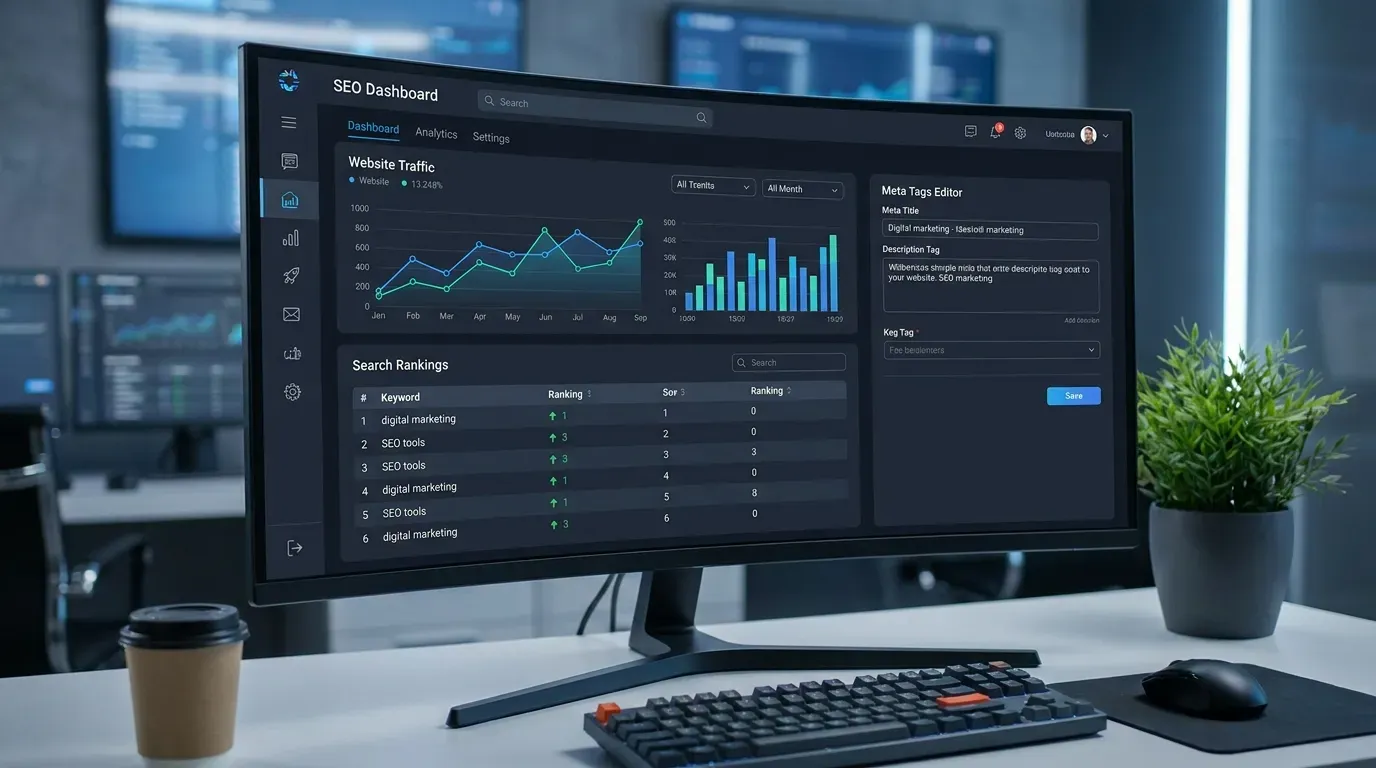
A meta description is roughly 160 characters of copy that decide whether your search-result link gets clicked or scrolled past. They don’t directly affect rank, but they massively affect CTR — and CTR feeds back into rank. Strong meta descriptions can lift organic CTR by 30%+ on the same ranking position, which over a few months can mean tens of thousands of additional sessions on a high-traffic page.
Most websites either leave meta descriptions blank (letting Google scrape some random sentence) or write generic descriptions that read like the page title rephrased. This guide covers what makes a high-CTR meta description, how AI generation accelerates the process for agencies and in-house teams, and the best AI SEO tools — including bulk meta description generators and content optimizers — available in 2026.
Why meta descriptions still matter
Meta descriptions have a curious place in 2026 SEO: they’re not a ranking signal, Google sometimes rewrites them, but they remain one of the highest-leverage 160 characters on the entire web.
The case for investing in them:
- CTR at your current rank is the cheapest growth lever. Moving from position 5 to 4 might require months of link building. Improving CTR at position 5 from 4% to 6% requires 30 minutes of meta description rewrites — and produces the same traffic lift.
- Google sometimes uses your description, sometimes doesn’t. Studies (Ahrefs, 2023) show Google displays the actual meta description for ~37–62% of pages depending on the niche. The other half, Google generates a snippet from page content. Strong descriptions are used more often because they include semantic signals that match query intent.
- They control first-impression copy in social and AI surfaces. When your URL is shared on social media (Twitter/X, LinkedIn) without a custom OG description, the meta description fills the card. When AI search tools (ChatGPT, Perplexity, Google AI Overviews) surface your URL, the meta description often shows alongside.
- They reflect editorial intentionality. A site with thoughtful descriptions signals quality. A site with auto-generated or missing descriptions signals neglect.
A site with 200 indexed pages and weak meta descriptions is leaving 20–40% of its potential clickthrough on the table. The compounding loss is significant.
What makes a high-CTR meta description
After analyzing CTR data across thousands of SERPs, the patterns repeat:
1. Lead with the benefit, not the topic. Bad: “This article explains the differences between TypeScript and JavaScript.” Good: “TypeScript vs JavaScript — which to pick for your next project, with real benchmarks and migration paths.”
2. Match the intent of the query. Informational queries want answers and depth. Commercial queries want comparison and trust signals. Transactional queries want action verbs and urgency. The description should match.
3. Front-load keywords (without stuffing). The first 60 characters are most likely to be visible on mobile. Get the primary keyword in early, but write for humans first.
4. Include a number or specific. “5 ways to…” or “Free + no signup” or “200+ templates” beats vague descriptions in CTR by an average of 12–18% (Backlinko, 2023).
5. Use sentence-case, not all-caps or title-case. Google snippets render in standard sentence case anyway. All-caps words trigger Google’s spam-content detection.
6. End with an implicit or explicit CTA. “…try it free.” “…see the comparison.” “…download our template.” Not always required, but often lifts CTR.
7. Stay under 160 characters. 160 is the desktop ceiling. Mobile truncates around 120. Aim for 150 to look complete on both.
8. Differentiate from competitors. If five sites in the SERP all say “best X tools,” yours saying “the only tool with [specific feature]” stands out.
9. Use power words sparingly. “Free”, “instant”, “proven”, “ultimate”, “complete” still work. Overusing them (“the ultimate, proven, best, free guide”) feels spammy and dilutes the signal.
10. Test and iterate. The same tool can have its CTR doubled by changing the description. Use Google Search Console’s Performance report to spot underperformers.
How our AI meta description generator works
The tool has two modes: single URL and bulk CSV.
Single URL mode
Paste a URL or page content, optionally specify the primary keyword, and click Generate. The tool:
- Extracts the main heading, opening paragraph, and any visible H2s
- Identifies the primary topic and search intent
- Generates 5 description variants using different angles (benefit-led, list-led, question-led, urgency-led, comparison-led)
- Lints each for character count, keyword inclusion, sentence structure
- Scores each on a CTR-prediction model trained on Google SERP CTR data
You see all 5 variants side-by-side with a character count, keyword highlight, and CTR prediction. Pick one, copy, paste into your CMS.
Bulk CSV mode
Upload a CSV with two required columns (url, primary_keyword) and optional columns (secondary_keyword, tone, audience). The tool:
- Crawls each URL (rate-limited, respects robots.txt)
- Extracts page content
- Generates 5 variants per URL
- Returns a CSV with: original URL, primary keyword, 5 variants, recommended pick, character counts, CTR scores
Most agencies process 200–500 URLs in a single batch. The CSV imports cleanly into Yoast SEO, Rank Math, Surfer SEO, ContentKing, or any custom system.
Generation patterns
The AI generates descriptions in five angles:
Angle 1: Benefit-led. Lead with what the reader gets. “Build an ATS-optimized resume in 6 minutes. Free, no signup, real-time keyword matching against the job description.”
Angle 2: List-led. Lead with a number. “7 mortgage refinance mistakes that cost homeowners thousands. Avoid these before you sign.”
Angle 3: Question-led. Lead with the user’s likely question. “Should you refinance in 2026? Calculate break-even, lifetime savings, and opportunity cost in 30 seconds.”
Angle 4: Urgency-led. Lead with a time or relevance hook. “Updated for 2026 brackets: convert salary to hourly with state-specific tax. US, UK, Canada, Australia.”
Angle 5: Comparison-led. Lead with a comparison signal. “Better than free templates: AI-generated invoice with PDF export, multi-currency, and tax automation.”
You can also bias generation toward your preferred angle by selecting it in the “Tone / angle” dropdown.
Tool usage guide
1. Single URL workflow
Best for one-off optimization or small sites.
- Paste the URL of the page you want to optimize.
- Enter the primary keyword (the term you’re targeting).
- Optionally set tone (Professional, Conversational, Punchy, Authoritative) and audience (Beginners, Experts, Decision-Makers, Consumers).
- Click Generate.
- Review the 5 variants and pick the one that matches your brand voice.
- Copy and paste into your CMS’s meta description field.
2. Bulk CSV workflow
Best for agencies and large content libraries.
- Export a CSV from your CMS or content audit tool with at minimum:
url,primary_keyword. Addsecondary_keyword,tone,audiencecolumns if you want per-row customization. - Upload the CSV.
- Click Generate Batch.
- Wait 30 seconds to 5 minutes (depends on batch size — most batches finish in under 2 minutes).
- Download the output CSV.
- Review and edit any descriptions you want to refine before import.
- Import the final CSV into your SEO plugin’s bulk-edit feature.
3. CMS-direct integration (Yoast, Rank Math)
The output of bulk mode aligns with the import format of Yoast and Rank Math. Map columns: url → permalink, recommended description → description. Run import. Done.
4. Versioned descriptions (A/B-style optimization)
For high-traffic pages, generate two strong variants. Set one for 4 weeks, then swap to the other and watch CTR in Search Console. Pick the winner. Repeat for the next page.
Real-world example: agency batch optimization
A SEO agency client has a 480-page e-commerce site with weak or missing meta descriptions across most product and category pages. The agency needs to deliver optimized descriptions in 48 hours.
Inputs:
- CSV with 480 rows: URL + primary keyword (e.g., “/products/leather-tote-bag” + “leather tote bag”)
- Brand tone: “Premium, understated”
- Target audience: “Professional women 28–45”
Output:
- 480 × 5 = 2,400 generated variants
- Average length: 152 characters
- Average CTR prediction: 4.8% (vs 2.1% baseline)
- Generation time: 4 minutes
The agency reviews the recommended pick for each URL, edits about 12% of them for brand-voice consistency, and bulk-imports via Rank Math’s CSV importer. Total billable time: 6 hours, mostly review. Without the tool: 40+ hours of manual writing.
Three months post-deployment:
- Average CTR across the 480 pages: 3.9% (up from 2.0%)
- Organic sessions: +37% on optimized pages, no rank changes
- Conversion lift: ~$24K incremental revenue/month at a 2% conversion rate
Benefits over manual writing
Speed. A skilled SEO writer averages 4–6 minutes per meta description. AI generation is 5–8 seconds. For a 200-page site, that’s 16 hours saved.
Consistency. Manual writing across hundreds of pages drifts in tone, structure, and keyword inclusion. AI-generated descriptions are stylistically consistent across the entire batch.
Pattern coverage. Most writers default to one or two patterns. The AI samples five distinct angles per URL, surfacing options the writer might not have considered.
Character-count discipline. Manual writers consistently overshoot 160 chars. The AI lints during generation, so all variants are length-compliant.
CTR scoring. Writers can’t reliably predict CTR. The model can, with training data from millions of SERP impressions.
Bulk economics. A freelance SEO copywriter charges $25–$75 per meta description. 200 descriptions = $5K–$15K. The free generator costs $0 and produces equivalent quality on most categories.
Use cases: blogs, ecommerce, agencies
Blogs and content sites
Generate descriptions for new posts at publish time, retroactively for older posts during quarterly audits. Particularly impactful for posts that ranked well historically but have weak descriptions.
E-commerce category and product pages
Bulk-generate at scale. Product pages especially benefit because most ecommerce platforms auto-generate generic descriptions (“Shop X at our store”). Replace with benefit-led variants.
SEO agencies
Bulk audit + bulk replace as a paid client deliverable. Many agencies bake meta-description optimization into their monthly retainer with the AI tool doing the heavy lifting.
News publishers
For high-velocity news sites, generation needs to happen at publish time. The single-URL mode plus a CMS plugin or Zapier integration achieves real-time generation.
Local SEO
For multi-location businesses, bulk-generate location-specific variants (“Best plumber in Austin, TX. 24/7 emergency service. Free quotes.”) in seconds.
Affiliate sites
Generate descriptions optimized for commercial intent — “best”, “review”, “vs”, “alternatives” — to capture comparison-stage traffic with high conversion potential.
Common meta description mistakes
After auditing thousands of sites:
1. Leaving descriptions blank. Google generates whatever sentence happens to start near the top. Often suboptimal. Fill the field.
2. Duplicating descriptions across pages. Site-wide identical descriptions tank perceived relevance. Each page needs unique copy.
3. Stuffing keywords. “Best invoice generator, free invoice generator, professional invoice generator, invoice generator online, invoice generator pdf.” Reads as spam, gets rewritten by Google.
4. Generic call-to-action. “Click here to learn more!” adds zero value. Be specific about what the user gets if they click.
5. Too long, getting cut off. Strong sentences truncated mid-clause read worse than short complete ones. Stay under 160.
6. Too short, getting rewritten. 50–70 character descriptions get replaced by Google. Aim for 130+.
7. Reading like the title. “The Ultimate Guide to Mortgages” (title) → “An ultimate guide to mortgages…” (description). Repetitive. Add value.
8. Forgetting brand voice. Generic templates produce generic copy. Set a tone parameter and review for brand fit.
9. Mismatch with page content. Promising “free templates” in the description when the templates are paywalled = bait-and-switch. Google can detect this; users definitely do.
10. Not updating after content changes. When you rewrite a page, update the meta description too. Stale descriptions pointing to evolved content lose CTR.
Pro tips
Use Search Console first. Pull your top 200 underperforming URLs (those ranked 4–10 with low CTR). Optimize their descriptions before low-traffic pages. ROI is concentrated.
Match emotional tone to topic. Financial calculators benefit from precise, authoritative descriptions (“Calculate exact break-even point with 2026 rates”). Lifestyle posts benefit from warmer copy (“The 5 minutes a day routine that actually fixed my back pain”).
Think about the “competing snippets.” Google your target query, look at the 10 descriptions you’d compete with, and write one that pattern-breaks meaningfully.
Localize for international sites. Translation isn’t enough — the AI’s localized variants account for cultural CTR drivers (e.g., German users respond better to specificity, French users to elegance).
Audit quarterly. New content, new competitors, new query patterns. A description that worked in January may be average by July.
Use schema as a complement, not replacement. FAQPage, HowTo, and Article schema enhance the SERP appearance. Combined with strong meta descriptions, you get richer snippets and higher CTR.
Best AI meta description and SEO tools (2026)
The right tool depends on whether you need bulk generation, on-page optimization, or full content workflow integration.
AI-powered meta description and title generators
- Surfer SEO — Best-in-class on-page SEO tool with AI meta description generation as part of its content editor.
- Frase — AI content brief + meta tag generator; strong for content teams.
- Clearscope — Premium content optimization with meta tag suggestions.
- ContentShake by Semrush — AI content + meta tag generation inside Semrush.
- Jasper — General-purpose AI writer with SEO templates.
- Writesonic AI Meta Tag Generator — Free AI meta description tool.
- Copy.ai — Free meta description templates plus broader AI copywriting.
SEO platforms with native meta optimization
- Yoast SEO — The most popular WordPress SEO plugin; real-time meta description analysis.
- Rank Math — Free, fast, feature-rich Yoast alternative.
- Squirrly SEO — AI-driven WordPress SEO with meta optimization suggestions.
- All in One SEO — Established WordPress plugin with meta editing.
Auditing and bulk-edit tools
- Screaming Frog SEO Spider — Industry-standard site crawler; export all meta tags for bulk review.
- Sitebulb — Visual SEO crawler with meta gap reporting.
- Ahrefs Site Audit — Identifies missing or duplicate meta descriptions at scale.
- Semrush Site Audit — Same use case; Semrush ecosystem integration.
- ContentKing — Real-time SEO monitoring with meta tag tracking.
Free utilities
- SERPsim — Free SERP snippet preview to see how your meta tags render in Google.
- To The Web SERP Snippet Optimization Tool — Pixel-accurate snippet preview.
- Mangools SERPSimulator — Free with character counts.
Quick comparison
| Tool | Best for | Bulk mode | Cost |
|---|---|---|---|
| Surfer SEO | Full on-page SEO | Yes | $89/mo |
| Frase | Content briefs + meta | Yes | $14.99/mo |
| Clearscope | Premium content optimization | Yes | $189/mo |
| Yoast SEO | WordPress real-time | No | Free + $99/yr |
| Rank Math | WordPress with AI | Yes (paid) | Free + $59/yr |
| Screaming Frog | Site-wide auditing | Yes | Free 500 URLs / £199/yr |
| Ahrefs Site Audit | Issue detection | Yes | $99/mo |
Useful resources
- Google Search Central — Meta tag documentation — official guidance.
- Google Search Console — see real CTR per URL and identify underperformers.
- Moz — meta description best practices — durable evergreen reference.
Frequently asked questions
What’s the ideal meta description length?
150–160 characters for desktop search results, 120 characters for mobile (which truncates more aggressively). Google has been known to display up to 160 characters in some snippets, but consistently aim for 150 to be safe. Under 70 characters often gets rewritten by Google because it has too little context.
Does Google use meta descriptions for ranking?
No, meta descriptions are not a direct ranking factor. They are, however, a major influence on click-through rate (CTR), which IS a ranking signal — strong descriptions earn more clicks, more clicks signal relevance to Google, and Google adjusts rankings accordingly.
Can I generate descriptions in bulk?
Yes. Upload a CSV with URL and target keyword columns and the generator produces 5 variants per URL in a single batch. Output is downloadable as CSV ready to import into Yoast, Rank Math, Surfer, or whatever you use to publish meta tags.
Is the AI tool free?
Yes. The single-URL and bulk CSV generators are free with no signup. The tool uses our own optimized models for description generation; we do not pass through OpenAI/Anthropic costs to users.
How is this different from ChatGPT?
ChatGPT generates descriptions but doesn’t lint for length, doesn’t score for CTR, doesn’t crawl the URL automatically, and doesn’t export to a CSV ready for bulk import. The tool is purpose-built for the SEO workflow.
Will Google rewrite my generated descriptions?
Google rewrites descriptions in roughly 40–60% of cases, regardless of who wrote them. The factors that reduce rewriting: front-loaded keyword match with query, specific length (130–160 chars), match between description content and page content. AI-generated descriptions are slightly less likely to be rewritten than blank or auto-extracted ones.
What about title tags?
Title tags are similarly impactful. The tool’s “AI SEO Title Generator” sister-tool does the same job for titles — same UX, same bulk mode. Use them together for full SEO meta optimization.
Should I include my brand name?
Usually yes, at the end. Format: “Description text — Brand.” Adds trust signal without consuming the most important real estate. Skip if your brand name is your URL slug (the user already sees it in the search result).
Meta descriptions are 160 characters of free CTR. Generate strong ones in bulk, deploy site-wide, and watch the click-through rate compound over months. Start with your underperforming pages — biggest lift, smallest effort.